
The rapid growth of artificial intelligence is changing how we produce, publish, and experience digital content. One of the most practical breakthroughs is AI voice generation—especially tools built to create polished introductions for videos, podcasts, online courses, webinars, and branded content. With these tools, creators can save time, keep a consistent style across episodes, and deliver professional-sounding audio without booking a voice artist.
A solution that’s been getting attention is the AI Trending Introduction Voice Generator. For YouTubers, podcasters, marketers, educators, and entrepreneurs, the first 5–15 seconds matter most—an engaging intro sets the tone, builds credibility, and hooks the audience. Below is a complete overview of what this tool is, how it works, key features, pros and cons, alternatives, and a final verdict.
What Is the AI Trending Introduction Voice Generator?
The AI Trending Introduction Voice Generator is an AI-powered voiceover tool designed specifically for creating natural-sounding intro voice clips from text. It uses modern text-to-speech (TTS) technology and machine learning to produce clear, professional audio from a written script.
Unlike generic TTS platforms, this type of generator focuses on what intros need most: strong pacing, confident tone, clean pronunciation, and attention-grabbing delivery. Think of it like having a voice actor available anytime—without scheduling, recording gear, or retakes.
It’s especially useful for:
- Creators who want consistent branding across videos or episodes
- Businesses producing presentations, promos, or explainer videos
- Educators building online courses faster
- Podcasters who need a reliable intro that matches the show’s vibe
How It Works
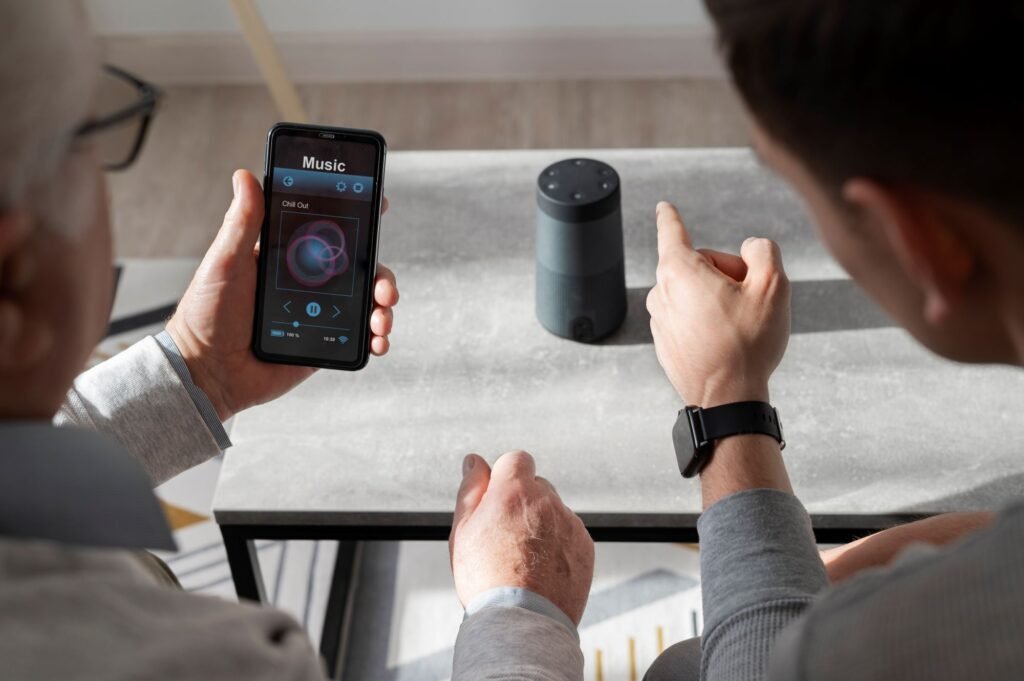
Most AI intro voice generators follow a simple workflow:
1) Add Your Script
Type or paste your intro text into the editor. Some tools also offer ready-made templates based on niche (marketing, education, gaming, finance, etc.).
2) Choose a Voice
Select from different voice profiles—male/female, energetic/calm, young/mature, various accents, and sometimes multiple languages. Some platforms also offer voice cloning (where permitted).
3) Customize the Delivery
Adjust settings like pitch, speed, pauses, pronunciation, emphasis, and emotion. Many tools let you choose moods such as “excited,” “serious,” or “friendly.”
4) Preview and Refine
Listen to a preview and tweak the script or settings to get the exact feel you want.
5) Export and Use
Download the final audio in common formats like MP3 or WAV, then drop it into your video editor, podcast software, or presentation deck.
What makes the output convincing is the AI’s ability to mimic human-like speech patterns—timing, emphasis, and natural pauses—so it doesn’t feel flat or robotic.
Features (Detailed)

Here are the standout features commonly associated with an intro-focused voice generator:
1) Realistic Voice Output (and sometimes Voice Cloning)
Neural voice models can sound surprisingly human. Some services allow custom voice cloning for brand consistency.
2) Multiple Voice Styles and Accents
A wide voice library can include different tones, accents, and languages to match a global audience.
3) Emotion and Tone Control
Choose a delivery style—hype, calm, authoritative, friendly—so the intro fits your content type.
4) Script Support and Optimization
Some tools help tighten your intro script for clarity, engagement, and better listener retention.
5) Background Music Integration
Add royalty-free music and auto-balance the mix so voice and music feel professionally mastered.
6) Cloud-Based Convenience
Most tools run in the browser—no installation, usable from any device.
7) Batch Generation
Create multiple intros at once for different episodes, clients, or campaigns.
8) API Integration
For developers and teams, an API can automate intro generation inside apps, CMS platforms, or production workflows.
9) Project History
Save scripts and exports so you can reuse or update intros quickly later.
10) Commercial Licensing Options
Many tools offer licensing for monetized content—important for YouTube, ads, courses, and client work.
Pros (Table)
| Pros | Description |
|---|---|
| High-quality voices | Clear, realistic voiceovers suitable for professional intros |
| Fast production | Generate intros in seconds instead of recording manually |
| Easy to use | Simple text input with preview and export |
| Customizable | Adjust speed, pitch, emphasis, emotion, and more |
| Cost-effective | Cheaper than hiring voice talent repeatedly |
| Multilingual options | Useful for global or multi-audience content |
| Consistent branding | Same voice/tone across episodes and channels |
| API support | Great for automated workflows and apps |
| Royalty-free options | Safer for commercial and monetized projects |
| Scalable | Works for solo creators and larger teams |
Cons (Table)
| Cons | Description |
|---|---|
| Emotion can be limited | Subtle human nuance may still be hard to replicate |
| Voices may feel familiar | Some AI voices sound similar across different platforms |
| Requires internet | Cloud tools need a stable connection |
| Voice cloning legality | Celebrity-style cloning can be legally risky depending on permissions |
| Mispronunciations happen | Names, acronyms, and niche terms may need manual tweaks |
| Can sound robotic if rushed | Poor scripts or default settings may reduce realism |
| Premium features cost more | Best voices/tools often sit behind paid tiers |
| Privacy concerns | Scripts may be stored unless policies allow opt-outs |
Alternatives (Table)
| Tool | Key Features | Pricing | Best For |
|---|---|---|---|
| Descript Overdub | Voice cloning, podcast editing, script-based workflow | Freemium + paid tiers | Podcasters, educators |
| Lovo.ai | Emotional voices, voice cloning, commercial licensing | Freemium + pro plans | Video creators, advertisers |
| Murf.ai | Studio-style voices, collaboration, API options | From ~$19/month | Teams, training content |
| Resemble AI | Custom voices, real-time synthesis | Custom pricing | Developers, enterprise |
| Play.ht | Large voice library, SSML, multi-language | Free + pro tiers | Blog narration, eLearning |
| Speechelo | Fast voice generation, marketing focus | Often one-time fee | Marketers, YouTubers |
| WellSaid Labs | High-fidelity voice avatars | Enterprise pricing | Corporate training, product demos |
Conclusion and Verdict
The AI Trending Introduction Voice Generator represents a major step forward for creators who want fast, professional intros without the overhead of recording sessions. It shines in speed, consistency, customization, and scalability—which makes it ideal for marketers, educators, podcasters, and video producers who publish frequently.
While it may still fall short in ultra-subtle emotional nuance (and licensing needs careful attention if voice cloning is involved), the value is strong for anyone who wants a cleaner, more branded first impression.
If your goal is to hook listeners quickly and keep your content sounding consistent, this tool is worth adding to your workflow.